VOAR: Your App Store sales, reviews and ranks, built for VoiceOver.
VOAR shows developers how their apps are doing on the App Store: downloads, proceeds, subscriptions, in-app purchases, reviews, traffic and chart ranks. It talks to Apple directly with your own App Store Connect API key, so there is no account and no server in between, and it was designed for VoiceOver and low vision from the start.
- Price
- Free (no in-app purchases)
- Platforms
- iPhone and iPad

Who it’s for
VOAR is for developers who sell apps on the App Store and want their numbers without the web dashboard.
- Blind and low-vision developers: every chart can be played as an Audio Graph, read as a summary or switched to a table.
- Indie developers who want one private app for sales, subscriptions, reviews and ranks, with nothing sent to a third party.
- Anyone who wants a quick look on their phone, a widget on the Home Screen, or an answer from Siri.
Features
Everything at a glance
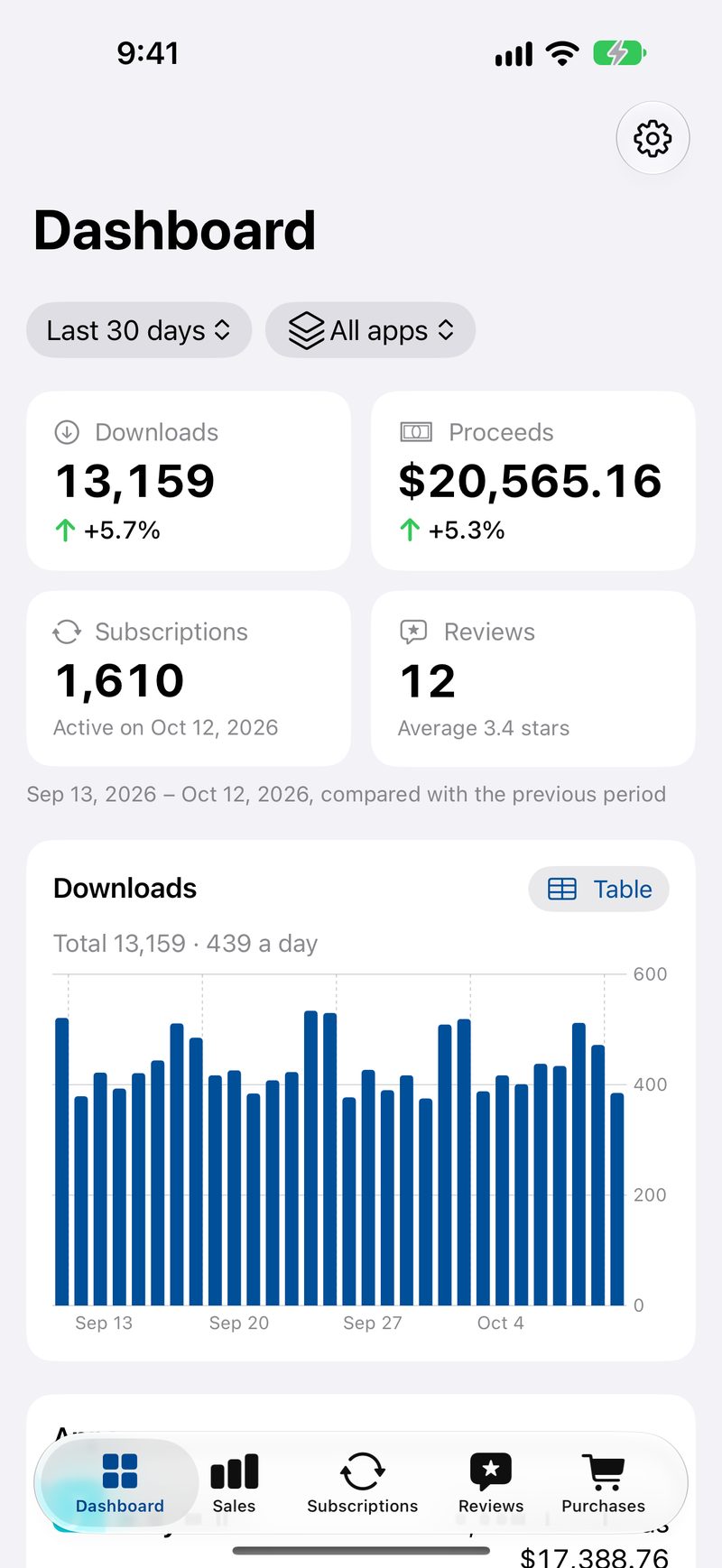
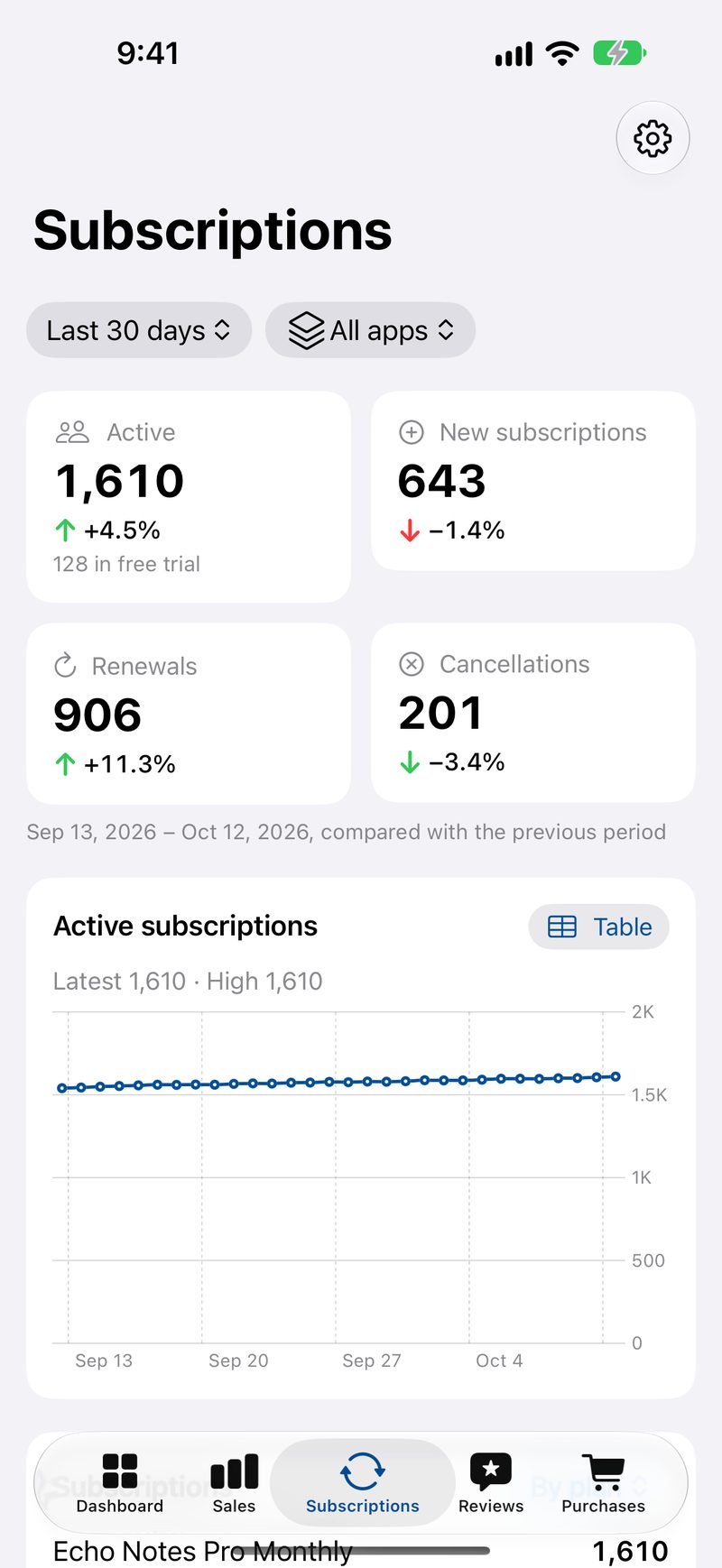
The Dashboard shows downloads, proceeds, subscriptions and reviews for any period, each compared with the period before, for all your apps or just one.
Proceeds are shown in your payout currency, or any currency you choose, using daily European Central Bank rates.
Sales, traffic and audience
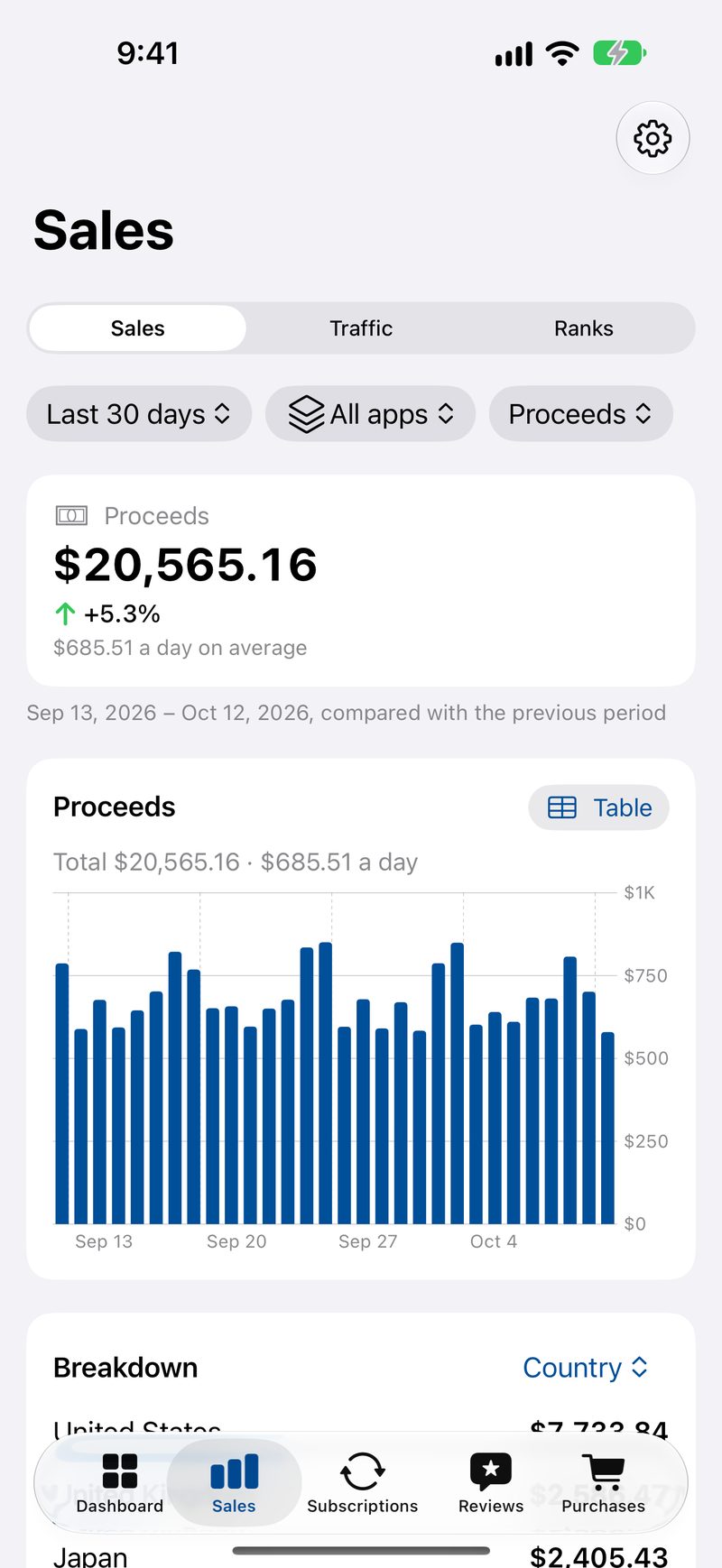
See downloads, proceeds, redownloads, updates and purchases by country, app and product. Traffic adds impressions, product page views, conversion rate, sessions and crashes from App Store Analytics.
Audience shows which devices, iOS versions and countries your users come from, and In-App Purchases shows purchases, proceeds and your best-selling products.
Read and reply to reviews
Read, search and filter your customer reviews, and reply to them. Reviews in other languages can be translated on your device: nothing is sent to a server.
VoiceOver rotors jump straight to unanswered reviews, 1 and 2 star reviews or 5 star reviews.
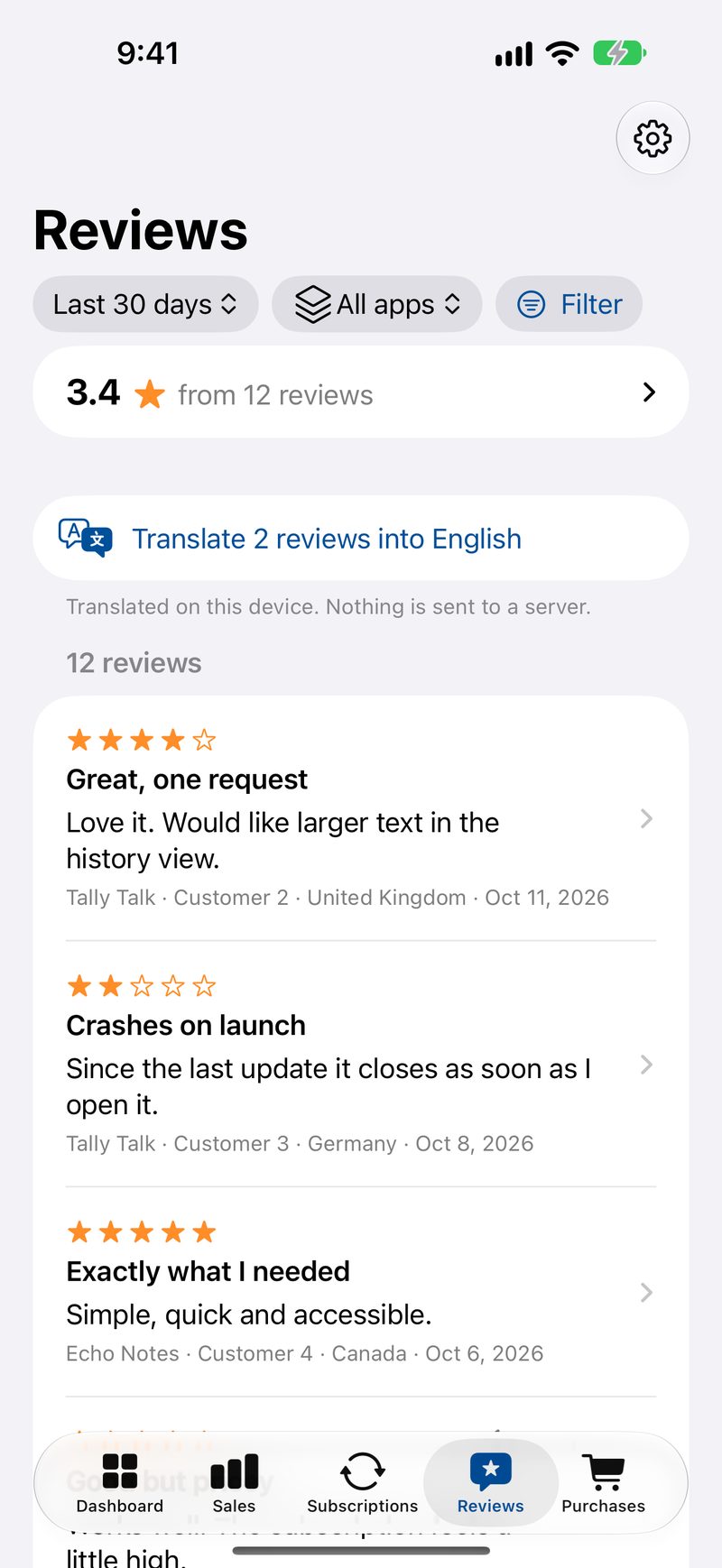
Chart ranks by country and category
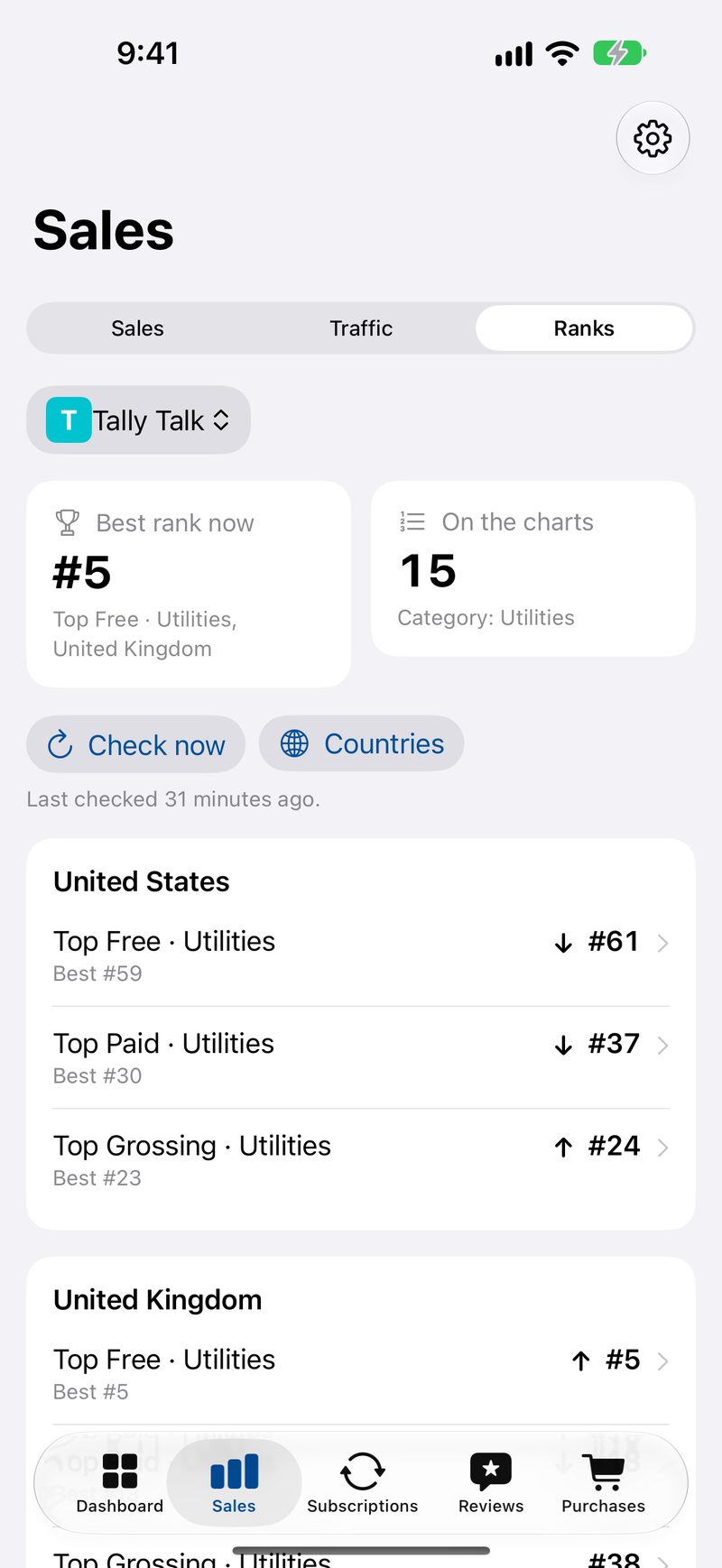
See where your apps place in the Top Free, Top Paid and Top Grossing charts, overall and in their category, in the countries you choose, with a history for each chart.
Ranks come from Apple’s public top charts, which list the top 100 apps in each.
Accessibility
VOAR was designed and tested with VoiceOver from the start, for developers who are blind or have low vision.
- Every chart has an Audio Graph, a written summary and a one-tap table view.
- Full VoiceOver support, with rotors for reviews and spoken updates while syncing.
- Dynamic Type up to the largest sizes, where charts switch to tables and numbers never break across lines.
- Increased Contrast and Dark Mode, and changes shown with arrows and words, not colour alone.
- Text-only, extra-bold widgets, and Siri and Shortcuts for today’s sales or your latest reviews.
Privacy
VOAR collects no data. It has no server and no account, and your sales stay on your device.
- Your App Store Connect API key is kept in the device Keychain and only ever used to sign requests to Apple.
- Reports downloaded from Apple are stored on your device and shared only with VOAR’s widgets.
- VOAR connects directly to Apple and the European Central Bank. Doxie Media receives nothing.
Frequently asked questions
Can I try VOAR without an API key?
Yes. Choose Try with sample data on the first setup screen to see every feature with made-up numbers. Use my own data takes you back to setup whenever you are ready.
What do I need to see my own numbers?
An App Store Connect API key with Sales, Finance or Admin access, its Issuer ID and Key ID, and your vendor number. VOAR walks you through finding each one.
Is my data sent anywhere?
No. VOAR talks to Apple directly with your own key, and keeps everything on your device. There is no VOAR server, and Doxie Media never sees your sales.
How much does VOAR cost?
VOAR is free, with no in-app purchases, ads or subscriptions.
Get VOAR
Free on the App Store for iPhone and iPad.